Test Post
Posted on November 8, 2020 by Anthony
This post was made to test Disqus comments.
Here’s a video recorded by Jordan Myronuk showing off what have so far during development. It also shows off how this will be making the transition to the third dimension with ship combat and space travel.
I like the way the planets are shown with the moon orbit paths shown with lines just like in UQM. It makes it easier to find a moon in 3D space without forcing the player to reorient themselves every time.
The 3D planets look very nice as well. The clouds moving around the planets gives the impression of layers for the planet rather than a static texture or animation loop.
A Star Control game is no easy task. In fact, when TFB was working on SC2, Accolade wanted them to finish the game before they completed everything. This would result in things such as the removal of the Groombridge encounter and the infamous planet lander bug.
Anyways, the video is a good teaser of what’s to come. Making the transition to the third dimension is always tricky. I can’t wait to see more.
What do you think about the transition from 2D to 3D, whether it is Star Control or another game?
Links
UQM Forums - Another Attempt at a Sequel
YouTube - Eventuality - Game Development Progress
I know it’s been long since I’ve written anything; months.
I’ve been so busy with personal stuff. Right now, I’m just astonished by how much the internet has evolved over the years and the impact of social media. There are people out there with bigger blogs without paid hosting or personalized e-mail addresses. So much content posted on Tumblr, Twitter, Pinterest and Facebook. Everyone’s re-tweeting, re-blogging, #hashtagging and sharing. Don’t get me wrong; I’m glad people are using these products. I do comment on other posts and articles and I always try to briefly summarize it and give my opinion on it.
I never went into this wanting to be an internet celebrity. I just wanted to by a guy with a .com blog with complete control and interesting things to write about. It was a conscious decision to use my real name; I’m not an alter ego or a comedian. I’ve had some interesting contacts by doing this; one person was under the false assumption that I created Star Control and asked for a copy of the game; I wrote a lengthy response explaining that is NOT the case.
I want to do a playthrough of a video game with commentary. With my tight schedule, I’d like to play something that can be played in a single sitting. There are so many games released that are not getting as much recognition as they should. The sci-fi and fantasy genre is growing and the the indie community is rising.
The public library I’m at is blocking access to starcontrol.com. WTF?

In conclusion, the site will remain running and I still have some ideas for the future. Stay in tune. If you want me to check out any games in particular, want me to check out something else in particular or have any questions, please let me know. My e-mail is anthony at starcontroller dot com and my Twitter is @starcontroller.
Note: These lyrics are not guaranteed to be accurate as I had a very difficult time understanding the words. If you can provide a more accurate interpretation, please post a comment.
Floating here so long
Civilizations are all gone
Drifting aimlessly in outer spaceAll the multi-colored stars
Shining brightly near and far
They head past and fade without a traceWith our telescoping eyes
Looking upward to the skies
You can't see the things that we can see
Are you reading me?This mission's far too long
Our coordinates are wrong
And we can’t remember why we’re here
Abandoned here alone
We don’t know which way is home
And communication is unclearWe're suspended up in space
Disappeared without a trace
And we don’t know if it’s night or day
But you know we’re lightyears awayStar Control
We’re 10 million miles from home
Where do we go from here
The lines in confusion
We’ve run out of options
Tell us where do we go from here
We need to be told
Star ControlOur creation was your dream
We were more than just machines
When you programmed us to think like men
Your ambitions ruled your mind
And your perfectly designed
Communications have all reached the endWere suspended up in space
Disappeared without a trace
And we don’t know if it’s night or day
But you know we’re lightyears awayStar Control
We’re 10 million miles from home
Where do we go from here
The lines in confusion
We're at your command
So tell us where do we go from here?
We need to be told
Star ControlStar Control We’re 10 million miles from home
Where do we go from here
The lines in confusion
We're at your command
So tell us where do we go from here?
Nowhere to goStar Control
We’d love to be told
Star Control
Star Control
10 million miles from home
Waiting here all alone
Star Control
I subscribed to Google Alerts for “Star Control” a few years ago. From these alerts, I can find new articles related to Star Control. In addition, there can be spam and even eBay auctions selling a Star Control game. Throughout the years, I have noticed that I occasionally see an eBay auction of an album from a band called Dollar, containing a song called “Star Control”, which caught my attention.
When I first discovered this, I naturally became curious and tried to find the song. It wasn’t on YouTube, MySpace or any of those sites. It was quite hard to find. I just never thought much of it. Anyways, I finally found the track and it was something completely unexpected.
I admit I’m not a music expert and that I know very little about the 70s and 80s.
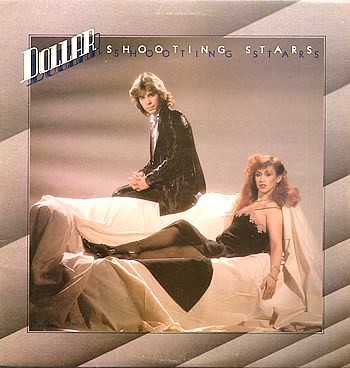
Dollar’s first album, Shooting Stars (1979) From left to right: David Van Day, Thereza Bazar
From what I’ve read, this song appeared in Dollar’s first album, Shooting Stars, released September of 1979. This is 11 years before Star Control 1 was released and 4 years before Archon. It was 4 years after Queen released Bohemian Rhapsody. It was before I was even born! So this song has nothing to do with the Star Control we all know and love. Dollar also covered The Beatles song “I Wanna Hold Your Hand”.
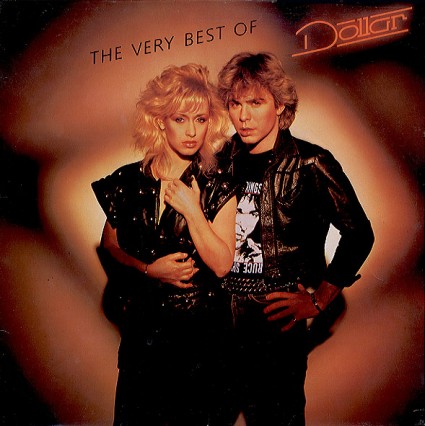
The Very Best of Dollar (1982) - A quick cash-in for WEA records. It contained the same songs as the first album including Star Control, with “I wanna hold your hand” added. Star Control is on 7 of Dollar’s albums, most of them compilations.
The vocals in this song are heavily distorted to sound more robotic. I’m a fan of electronic artists such as Daft Punk and MSTRKRFT who have used robotic voices in their music. However, I had a very difficult time understanding the words to this song because of the heavy distortion. Based on the other songs I have heard from Dollar, this is the only they have which uses this type of distortion. It does not seem to be a very popular song because it’s hard to find and the lyrics are not listed on Dollar’s website despite their other songs. I was lucky enough to find a forum thread where people have discussed finding the correct lyrics to this song and it was very helpful in my own attempt.
This song tells the story of either a robot ship or crew member who is stranded in space and contacting Star Control to be rescued. It has an overall sad expression and maintains a science fiction style to its composition. It made me think of the Mmrnmhrm because of their robotic nature, not that it it was related. I thought of “robots” and “Star Control” and Mmrnmhrm popped up in my mind.
I’d like to thank those who posted in the forum about finding the lyrics to this song; without it, this would have been more difficult than it already was. If there’s anyone out there who was curious about this song, I hope this answers your question about what this song sounds like. In summary, I think it was an interesting coincidence. Speaking of coincidences, while Nintendo was designing controllers for the Wii, they had a prototype with a star button on it, dubbed the “Star Controller”. It was quickly scrapped in favor of the Wii remote, nunchuk and classic controller. :D
Links
Dollar - Shooting Stars
Mystery of the Nintendo Star Controller Revealed
EDIT: Made some corrections to the lyrics. Thanks Peter and Unusualsuspex.
(tech demo does not represent final product)
In an interview with Arc Technica’s Lee Hutchinson, Stardock CEO Brad Wardell has stated the following:
Wardell's Star Control would take place 43 years before the events of Star Control 2 and would function as a prequel. "We plan to start the game around 2112 with aliens first contacting the Earthlings and the formation of Star Control," he explained. From there, the game will proceed in the same open-ended adventure fashion as Star Control 2—Wardell told Ars that the player would captain the Earthling flagship, which can be fortified with upgrades as it explores the galaxy.
"This has been a much discussed topic internally," he replied. "Since Paul and Fred can't officially be involved, we decided we would create a new continuity that splits off from the Ur-Quan continuity starting 250,000 years prior where something happened to the Precursors." Splitting off an alternate timeline, says Wardell, gives series creators Ford and Reiche the ability to continue the "main" Star Control plot if they choose to do so at some point. "Morally, we just didn't feel it would be right to try to impose our vision onto Paul and Fred's sci-fi universe," explained Wardell.
We asked for more details on that team of fanatics, and Wardell didn't disappoint: "The game itself is being developed by veteran developers from Firaxis, Big Huge Games, and Stardock, whose engineering and art talent are amazing, but also know what a Star Control game should be like," he said.
Maybe this could be a sign that a new dev team composed people from other places will be created similar to the formations of Sledgehammer Games for Call of Duty: Modern Warfare 3 and 343 Industries for Halo: Reach.
"We intend to make Super Melee a pretty big part of the game from a multiplayer point of view," Wardell confirmed. "It'll be an expansion on what was in Star Control 2, except we would like to support more sophisticated battle arenas and up to 8 players. We picture there being a lot of different modes for Super Melee, ranging from classic to Dota-style super melee."
As with all good things, Star Control will come only to those who wait. "We don't expect to even consider what a release date is until next year (2015) at which point we'll have a good idea of how far along we are," he said. However, unlike Star Control 2's dual platform release, the new title will be available on a multitude of systems. "We do expect the new one to be home on the PC but also be available on Mac, PS4, Xbox One, Steambox, and any other platform that Nitrous supports."
When 2009 Star Trek (directed by JJ Abrams) was released, it received very positive reviews and was very profitable. It reached levels of success that surpassed the previous films. I did enjoy the movie and it really showed how special effects have evolved over time. It also took place in an alternate timeline, giving Abrams and the writers room to change things around without having to “retcon” anything.
Budgeting have always been an issue for Star Trek and it’s great to see that Star Trek is growing into a successful movie franchise just like Star Wars, which JJ Abrams will also be directing in the future.
Some decisions had to be made by the producers in order to gain this success, mainly a plot that revolves saving a planet and lots of action. It’s very hard to make a big-budget sci-fi movie that doesn’t revolve around saving the world or the universe. There is much more action to maintain a fast pace.
Did you know that Gene Roddenberry was not directly involved in the development of Star Trek II: The Wrath of Khan? Due to the mixed reception of The Motion Picture, his role was changed to Executive Consultant, and a new script and director was chosen for the sequel.
The reason why I mentioned Star Trek is because the target audiences are different and the competition is much greater. There are a certain set of expectations one can make about big-budget sci-fi and can not be easily applied to games. They were aware of the previous Star Trek movies and what can be done to make it more successful.
It’s very clear that Brad Wardell wants to create a new Star Control game that appeals to fans and is approved by Paul and Fred. Due to TFB’s contract with Activision, they cannot be directly involved in the development of this game. Activision loves Skylanders way too much. Stardock is known for their stance against DRM and their publishing of niche games/utilities made of smaller budgets compared to larger studios and making a profit (e.g. Sins of a Solar Empire, Demigod). It’s very early in development and no concept art of this Star Control has been released yet. However, I feel that this new team Stardock is putting together may be able to pull it off. They’ve got a lot of things to cover to match the unique touches of SC2 such as the music, alien artwork, witty dialog, fonts and unique ship design. Strangely enough, SC2 was never 100% polished and Paul and Fred worked overtime to get it done and left things out such as Groombridge and the infamous “planet lander bug”.
Only time can tell when we will get more details about what kind of game this is going to be. Brad has also stated that this will not be a 4X style game (explore, expand, exploit, and exterminate) like SOASE.
What do you think about this Star Control and its alternate timeline?
Links
Ars Technica - Stardock CEO reveals details about new Star Control title in development
Polygon - New Star Control to include series creators’ input, alternate timeline
Nitrous-Engine Techdemo
LittleTinyFrogs - Brad Wardell’s post about Star Control
"...I have dreamed of designing this kind of game since picking up that boxed copy of Starflight back in 86, and loading the two 5 1/4 floppies into my Tandy machine. If I can share that same feeling of wonder and excitement I experienced with that game to the current generation of gamers, Then Tiny Trek will be worth the effort." - Chris Carson, Gamesare, Tiny Trek Kickstarter Page
Like Interstellaria, it resembles a very retro game. However, this one appears even more antiquated, sporting an interlaced effect from the old CRT monitor days. Featuring procedural generation, Tiny Trek offers a different adventure every time a new game is started; a hostile race in one playthrough may be friendly in the next. It also features 2D sidescrolling platform action for planet exploration. Each planet will be unique and changes each time.
As the name would imply, Tiny Trek has been inspired by Star Trek with its brightly-colored shirts, teleportation sequences and the layout of the ship’s bridge with the viewscreen.
Tiny Trek also features something that is familiar to any Star Control fan: 2D space space navigation and combat sequences. However, it is possible to fight more than one ship at once.
With over a year of game development and the Kickstarter page being created, they have surpassed their $4,000 goal, raising over $5,000 with 23 days remaining as of this post. The more people back this project, the more they can achieve for Tiny Trek. If they reach their next objective at $6,000, they will include tools to edit “ships and races, more color options, and the ability to edit your home world”.
Gamesare is composed of Chris Carson and Sam Dillard. They are no stranger to bite-sized games. They have made numerous 2D games, some of which are freeware.
It’s awesome to see Tiny Trek has reached its funding goal. With just under a month left, I hope they continue to get support so this game can give players a chance to play deep space games that have a combination of being unique, easy to learn, entertaining and most of all, clever.
What do you think about Tiny Trek?
"Interstellaria: The 2D space done in the same style as games like Starflight and Star Control, where the main goal is to explore space and have open ended gameplay." - Jonathan P. King, Lead Developer, Coldrice Games
After generations of war a tenuous peace has fallen over the galaxy. For the first time an era of trade and diplomacy reigns. Human corporations, like Star-Ex, have risen to the forefront of human expansion. The universe is a dangerous place, and for those with courage the trade off is simple - they provide the ship, you seek out the profits! - Plot of Interstellaria
Interstellaria is a “2d space SIM/RPG/Sandbox game” with sidescrolling platforming elements by Coldrice Games. It features the increasingly popular retro visual and audio style.
Upon watching the Kickstarter video, it’s obvious that anyone who is fan of Starflight or Star Control will also love this game. While it is a very different from both games it retains many things we love about Starflight and Star Control such as space/planet exploration, encountering different aliens and ship customization. While the user may not be controlling a whole fleet of ships, the player will definitely be spending lots of time customizing their flagship and watching over the crew directly. During combat, the player must defend themselves in real-time, while protecting their crew and repairing their ship in order to survive.
They have surpassed their $15,000 goal, with over $20,000 of funding as of this post. The team behind this game composes of:
The game utilizes the Unity game engine with Matt Rix’s Future framework. Unity is a very popular game engine and is known for its multi-platform capabilities.
Interstellaria deserves to be added to the list of “Awesome Star Control-like Games”. The trend of unique, independently produced games continues since Kickstarter started. If Interstellaria reaches the next level at $27,500, there will be:
Expanded alien territories! 3 regions of space are completely expanded! Several new worlds, all new purchasable alien ships, new upgrades, and new alien crewmen for hire!
The Interstellaria project will continue collecting funds until December 6th. If you can, please make a pledge and support this awesome project. It’s games like this that will continue to increase demand for space adventure/combat games like Star Control.
Links
Instellaria Kickstarter Page
Installaria on Steam Greenlight
Chipzel’s website
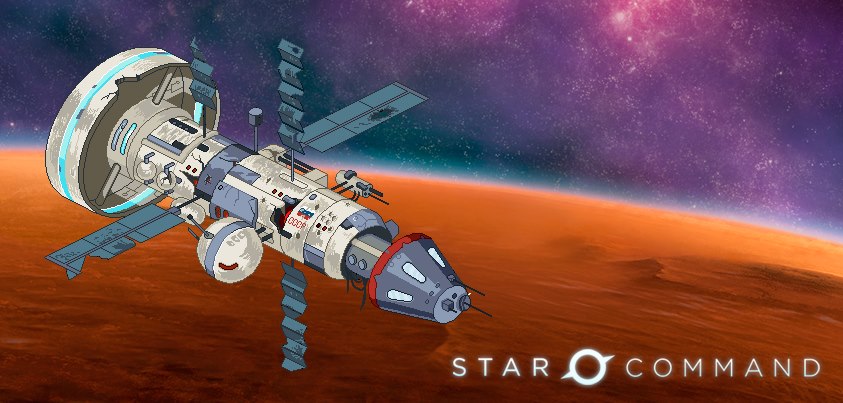
Star Command Satellite Image
The latest Humble Bundle has been revealed: Humble Mobile Bundle 2, a collection for games for Android. The following is included with this bundle:
I’ve always been fascinated with Star Command since it’s debut on Kickstarter. They have successfully received funding for iOS, Android and Windows development. It’s a quirky retro-looking turned-based sci-fi adventure RPG reminiscent of X-COM. Unfortunately, my beloved Android phone died, so I cannot play this game yet. I may get an Android device in the future or wait for the Windows version.
If you’ve got an Android device, definitely check this out. While the game is very different from Star Control, it has very appealing features such as ship customization, traveling through space, exploration, quirky humor and turn-based combat like X-COM. Millions of dollars have been raised from these bundles and it’s dirt-cheap. This entire bundle can be purchased for the price of a single game. This bundle expires October 19.
What do you think about humble bundles and mobile games?
Links
Humble Bundle website
New Years Thoughts (2012)
Back in June, HumaNature Studios (pronounced as Human Nature Studios despite the missing N) announced a new title: Doki-Doki Universe. It is very similar to Deko-Deko Mail except that this will also be available on PS4, PS3, PS Vita, iOS and Android. From what I’ve read, the term “Doki-Doki” is a Japanese expression used to describe a heartwarming feeling.
The CEO of HumaNature is Greg Johnson, creator of Starflight and ToeJam & Earl. He is a longtime friend of Paul Reiche and Fred Ford. Greg also provided some of the voices in Star Control II such as the Utwig. Paul received a special thanks in the credits of ToeJam & Earl. The cartoon style was developed by I-Wei Huang, who is also one of the character designer/artists at Toys for Bob and contributed a lot to Skylanders.
There is a plot. The player controls a robot who is rendered obsolete and wants to survive. The player travels to different planets and meets different kinds of characters. The player is asked various question that are used to determine their personality towards the path of self-discovery. Like Deko-Deko Mail, the player can send messages to other people and include images. There will be a free version and a paid version.
A long time ago, I noticed that Deko-Deko Mail suddenly disappeared. I am glad that Greg and his studio have announced an extension of the original product and created a multi-platform game that includes a light-hearted adventure game with its own quirky art and humor. I’m definitely going to check this out in the future.
What do you think of Doki-Doki Universe?
Links
HumaNature Studios website
PlayStation.Blog - Doki-Doki Universe Coming to PS4, PS3 and PS Vita
The news of the trademarks auctioned by Atari is continuing to spread across several video game blogs, especially Star Control.
Brad Wardell has released a statement to Joystiq:
"We're very excited to publish a new Star Control game. We are inclined to go with an XCOM-like reboot using Star Control 2 as a major source of inspiration," said Brad Wardell, president and CEO of Stardock to Joystiq. "By rebooting the series á la XCOM, we can bring a new generation of gamers into a fun, silly space adventure. We hope to involve as many of the original designers and developers of the series, along with the fan base. It's important to us that Star Control remain true to its origins as much as is possible."
-Article by Alexander Sliwinski, "More Atari IP auction winners announced, Stardock plans Star Control reboot", Jul 22 2013, Joystiq.com
Keep in mind, not all of the auction outcomes have been revealed: Franchise name (starting bid)
Serge van den Boom (meep-eep) asked Paul Reiche III (TFB CEO) about this. Here’s his e-mail reply:
Hi Serge,
Stardock hasn't contacted us, so we don't yet know their plans. Looking at the court schedules (and this is consistent with my recollections), they acquired the trademark 'Star Control' and copyright to the original materials in Star Control 3 -- that is to say, not any of the copyrightable materials from Star Control I & II, which Fred and I still hold.
In terms of our interest in the trademark and why we didn't buy it -- we weren't sure that we could make use of the trademark soon enough to make sense, but we sure are interested in what Star Dock wants to do next!
- Paul
Now we another dose of video game politics! So, Stardock owns the Star Control trademark, the contents of Star Control 3 (e.g. the Harika) and TFB owns the contents of Star Control 1 and 2? If Brad wanted to create something faithful to Star Control II, he’d obviously need the material from the first two games. Regardless of whether or not it is a direct sequel or reboot that is faithful to SC2, he’d still need TFB’s permission to use their content. Of course, this is just my theory.
More documents have been uploaded to BMC Group. The new documents include notice of proposed orders which will be used in an upcoming scheduled hearing, where everything will be approved, finalized and payments will be made. A proposed order relating to Stardock’s bid for Star Control has been released (docket# 313, Exhibit 4, page 132). Their purchase price for the Star Control trademark is $305,000 with a $10,100 “good faith” deposit.
I wasn’t sure how many times Star Control was going to be mentioned. I’m so used to expecting gaming blogs to obscurely mention Star Control once in a while, but not like this. Brad Wardell has mentioned that he wants to make a faithful Star Control game, which he can most certainly do. A new document reveals that the highest bid for Star Control is $305,000. It is too early to expect any concept art or anything like that. I’d love to see how he’d combine space exploration, witty dialog and the space battles. Speaking of space battles, Stardock is very experienced with space combat with Sins of a Solar empire being the first thing that comes to mind. I wonder how he would pull off space combat in Star Control.
Paul hasn’t been contacted by Stardock yet. However, depending on the direction Stardock wants to go, they’ll definitely need to get Paul and Fred on board if they want to use material from SC1 and 2. I know that Toys for Bob works on one game at a time and Activision is in love with the Skylanders franchise and the billions of dollars it has raised so far. I’m hoping for the best for TFB and Stardock. They’re both successful companies with strong fan bases.
I hope Star Control news keeps spreading around and gathers more interest in the series. And don’t forget to check out The Ur-Quan Masters and its HD counterpart.
EDIT: Brad Wardell has posted on the UQM forums. He mentioned Paul Reiche owns the rights to SC1 and 2 and there is “ reason to think that they might be able to participate in the creation of a new Star Control game” Check it out!
Links
Joystiq - More Atari IP auction winners announced, Stardock plans Star Control reboot
IncGamers - Open source Star Control 2 team express doubts over Atari IP sale
BMC Group - Atari
Gametrailers - Star Control Reboot Coming Courtesy of Stardock
UQM Forum - Stardock Highest Bidder on Star Control Trademark
The Ur-Quan Masters
The Ur-Quan Masters HD